Async/Await in JavaScript: Writing Cleaner Asynchronous Code
Learn async/await in JavaScript with beginner-friendly examples. Understand async functions, await, error handling, promises, and cleaner asynchronous code.
Async/await gives JavaScript developers a cleaner way to work with asynchronous code without abandoning promises. This blog explains why it was introduced, how `async` functions and `await` actually behave, how to handle errors properly, and where it fits compared to plain promise chains.
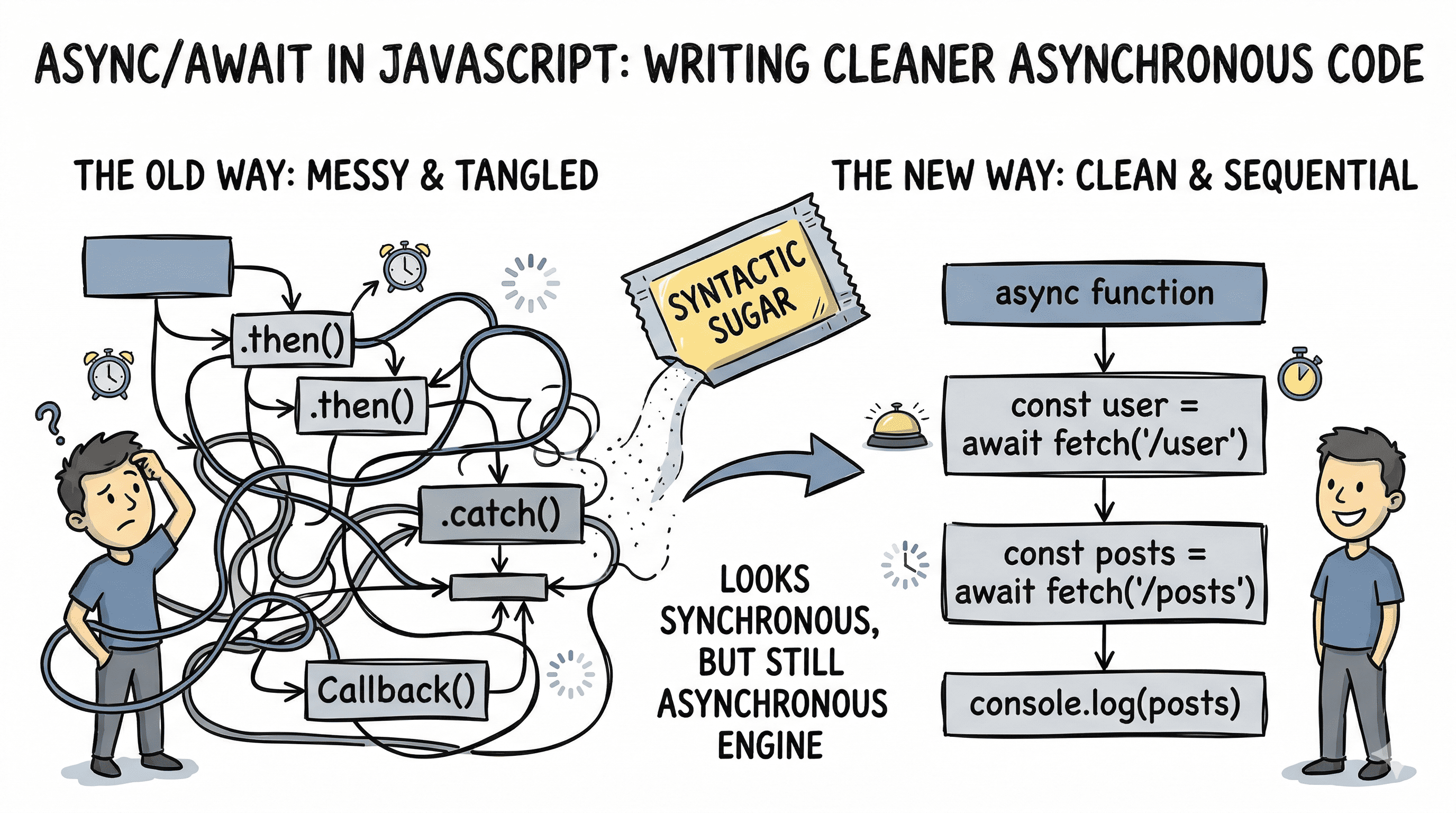
Imagine ordering food at a restaurant that gives you a buzzer. You place the order, sit down, and continue your conversation while the kitchen works. When the food is ready, the buzzer goes off and you pick it up. That is how asynchronous JavaScript feels: you start a task, move on, and come back when the result is ready. async/await did not change that system. It simply gave us a much cleaner way to describe it.
Why Async/Await Was Introduced
Before async/await, JavaScript developers mostly handled asynchronous code with callbacks and then with promises. Promises were already a big improvement because they flattened deeply nested callback code and centralized error handling. But once promise chains became long, the code still started to feel mechanical.
Here is a common promise-based flow:
fetchUser()
  .then((user) => fetchPosts(user.id))
  .then((posts) => fetchComments(posts[0].id))
  .then((comments) => {
    console.log(comments);
  })
  .catch((error) => {
    console.error("Something failed:", error);
  });
That is valid code. It is not wrong. But mentally, you have to keep tracking what each .then() returns and how values move down the chain.
Now look at the same logic with async/await:
async function showComments() {
  try {
    const user = await fetchUser();
    const posts = await fetchPosts(user.id);
    const comments = await fetchComments(posts[0].id);

    console.log(comments);
  } catch (error) {
    console.error("Something failed:", error);
  }
}
This is why async/await was introduced in ES2017: not to replace promises, but to make promise-based code read more like normal step-by-step logic.
PROMISE CHAIN                        ASYNC/AWAIT
─────────────                        ───────────

fetchUser()                          const user = await fetchUser()
  .then(user =>                      const posts = await fetchPosts(user.id)
    fetchPosts(user.id))             const comments = await fetchComments(...)
  .then(posts =>                     console.log(comments)
    fetchComments(...))
  .then(comments =>
    console.log(comments))
  .catch(handleError)

Same promise engine underneath.
Cleaner top-to-bottom reading on the right.
That is why people call async/await syntactic sugar. The engine is still dealing with promises. The syntax just gives us a friendlier way to express the same asynchronous behavior.
How Async Functions Work
Think of an async function like a gift box around a value. Even if you return a plain value, JavaScript wraps it in a promise for you.
async function getMessage() {
  return "Hello";
}

getMessage().then((value) => {
  console.log(value); // Hello
});
Even though we returned a string, getMessage() does not return the string directly. It returns Promise.resolve("Hello") under the hood.
That leads to one of the most important rules in this topic:
Every async function always returns a promise.
If the function returns a value, the promise is fulfilled with that value. If the function throws an error, the promise is rejected.
async function getUser() {
  throw new Error("User not found");
}

getUser().catch((error) => {
  console.error(error.message); // User not found
});
Here is the execution model:
┌──────────────────────────────────────────────┐
│        ASYNC FUNCTION EXECUTION FLOW         │
├──────────────────────────────────────────────┤
│ 1. Call async function                       │
│ 2. Function immediately returns a Promise    │
│ 3. Body starts running                       │
│ 4. If it hits await, function pauses itself  │
│ 5. Other JS work can continue                │
│ 6. When awaited promise settles, resume      │
│ 7. Resolve or reject final returned promise  │
└──────────────────────────────────────────────┘
For intermediate developers, this is the key mental model: await does not block the whole JavaScript engine. It only pauses the execution of that specific async function until the awaited promise settles.
What the Await Keyword Really Does
await is like telling JavaScript, "pause this function here until that promise gives me a result." The important phrase is this function. Not the browser. Not Node.js. Not the entire call stack forever.
async function getData() {
  console.log("Start");

  const response = await fetch("https://jsonplaceholder.typicode.com/todos/1");
  const data = await response.json();

  console.log(data);
  console.log("End");
}

getData();
console.log("I run before the fetch finishes");
The last console.log() runs before the network response comes back, because await pauses getData, not the entire program.
Main script:
  call getData()
  print "I run before the fetch finishes"

Inside getData():
  print "Start"
  await fetch(...)
  pause function
  ...later resume...
  await response.json()
  print data
  print "End"
There are also two common doubts worth clearing up:
awaitusually waits for a promise, but if you give it a non-promise value, JavaScript wraps that value withPromise.resolve(...).awaitcan only be used inside anasyncfunction, unless you are using top-levelawaitinside an ES module.
Here is a tiny example of non-promise behavior:
async function demo() {
  const value = await 42;
  console.log(value); // 42
}
You usually would not write code like that, but it helps explain what await is doing internally.
Error Handling with Async Code
Handling async errors is one of the biggest reasons developers love async/await. With promise chains, you often attach a .catch() at the end. With async/await, you can use try/catch, which feels closer to normal synchronous error handling.
async function loadProfile() {
  try {
    const response = await fetch("/api/profile");

    if (!response.ok) {
      throw new Error("Failed to load profile");
    }

    const profile = await response.json();
    console.log(profile);
  } catch (error) {
    console.error("Request failed:", error.message);
  } finally {
    console.log("Cleanup, hide spinner, or close connection");
  }
}
That structure gives you three clear zones:
try: the work that might failcatch: what to do when it failsfinally: cleanup that should happen either way
┌───────────┐
│   try     │
└─────┬─────┘
      │
      ▼
  await work
      │
  ┌───┴────┐
  │        │
  ▼        ▼
success   error thrown
  │        │
  ▼        ▼
continue  catch block
  │        │
  └───┬────┘
      ▼
   finally
One advanced but important detail: fetch() only rejects on network-level failures. A 404 or 500 response does not automatically throw. You still need to check response.ok yourself if you want to treat bad HTTP responses as errors.
Another common mistake is forgetting to await a promise inside try/catch. If you return a promise without awaiting it, the rejection may escape that catch block.
async function wrong() {
  try {
    return fetch("/api/data");
  } catch (error) {
    console.log("This will not catch fetch rejection reliably");
  }
}

async function right() {
  try {
    return await fetch("/api/data");
  } catch (error) {
    console.log("This catch can handle the awaited rejection");
  }
}
Async/Await vs Promises
This comparison is where many beginners get confused, so let us state it directly: async/await is built on top of promises. It is not a separate async system.
Use promise chains when:
- you want quick one-off transformations
- you are composing values in a chain-heavy style
- you are working with APIs that already expose
.then()cleanly
Use async/await when:
- you want step-by-step readability
- you need local variables across multiple async steps
- you want
try/catch/finallystyle error handling
Here is a side-by-side example:
// Promise style
fetch("/api/user")
  .then((response) => response.json())
  .then((user) => {
    console.log(user.name);
  })
  .catch((error) => {
    console.error(error);
  });

// Async/await style
async function showUser() {
  try {
    const response = await fetch("/api/user");
    const user = await response.json();
    console.log(user.name);
  } catch (error) {
    console.error(error);
  }
}
For most application code, async/await is easier to scan because it reads top to bottom. For library code or functional composition, plain promises can still be elegant.
Common Doubts and Real-World Advice
One mistake I see beginners make is assuming await automatically makes code optimal. It does not. If you await independent tasks one by one, you may slow things down.
async function slow() {
  const user = await fetchUser();
  const settings = await fetchSettings();
  return { user, settings };
}

async function faster() {
  const [user, settings] = await Promise.all([fetchUser(), fetchSettings()]);

  return { user, settings };
}
In slow(), the second request starts only after the first one finishes. In faster(), both start together.
SEQUENTIAL AWAITS                PARALLEL WITH Promise.all
──────────────────               ─────────────────────────

fetchUser()                      fetchUser() ──┐
   wait                             fetchSettings() ──┐
fetchSettings()                    wait for both      │
   wait                                               │
done                              done <──────────────┘
Another good practice: avoid mixing .then() and await in the same function unless there is a strong reason. It is usually harder to read.
Also remember this important truth: async code is not automatically faster. async/await improves structure and readability. It does not make CPU-heavy code execute faster. It mainly helps you manage waiting for I/O like network calls, timers, and file operations.
Key Takeaways
async/await was introduced to make promise-based asynchronous JavaScript easier to read and maintain. An async function always returns a promise, and await pauses only that function until a promise settles. This gives you code that looks synchronous while still behaving asynchronously.
The best way to think about it is simple: promises are the engine, async/await is the cleaner dashboard. If you understand both layers, your code becomes easier to write, easier to debug, and much easier to explain to the next developer reading it.