Why Version Control Exists: The Pendrive Problem
Before version control systems like Git, developers used pendrives, email attachments, and folders named "final_v2_ACTUAL_FINAL". Discover why version control became essential for modern software development.
Before Git and version control systems, developers passed code around on pendrives, created folders named "final_v2_ACTUAL_FINAL", and lost weeks of work to accidental overwrites. This is the story of why version control became absolutely essential for software development.
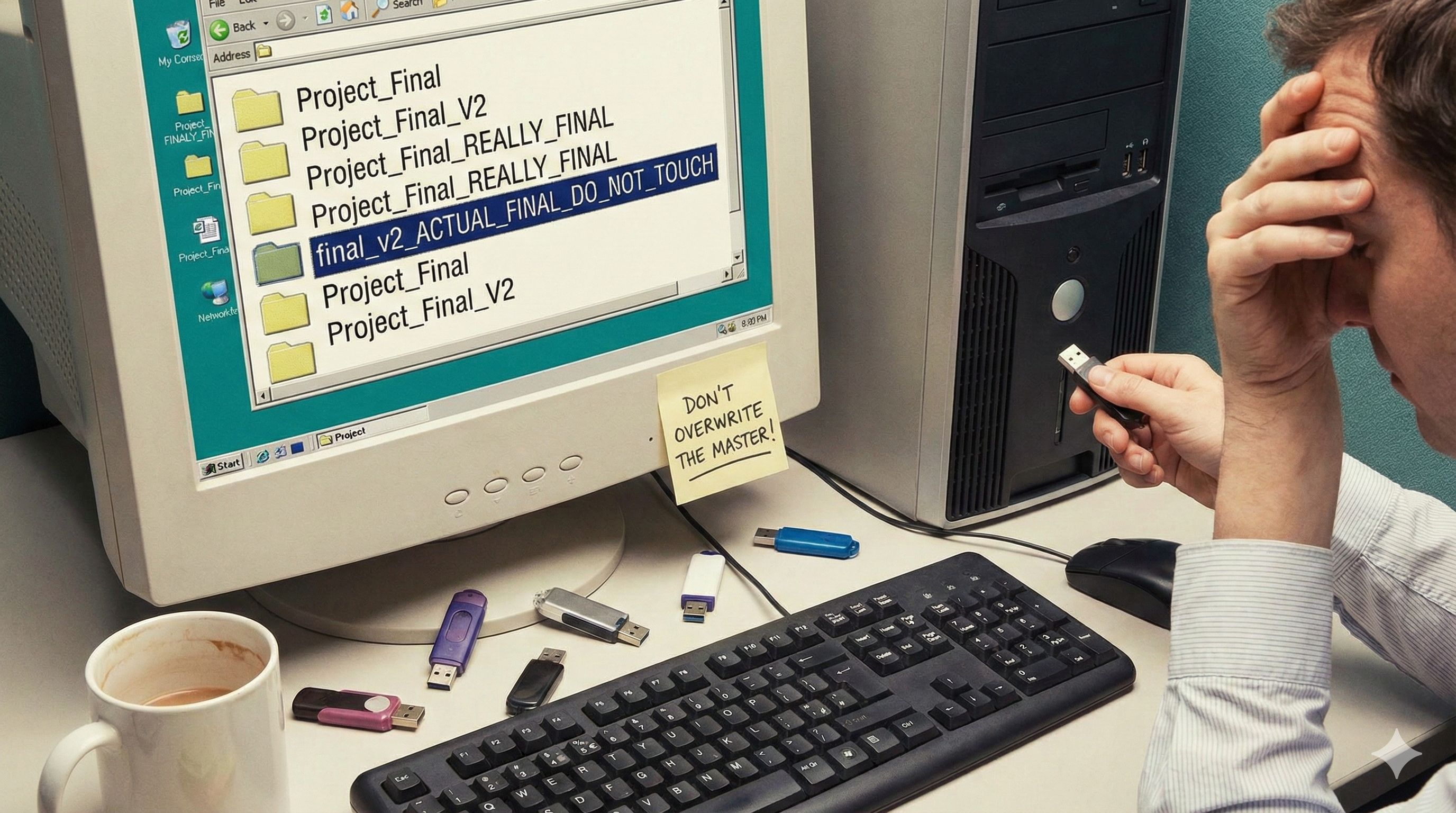
We've all been there. You're working on an important project, and your folder structure looks something like this:
project/
├── final.zip
├── final_v2.zip
├── final_v2_latest.zip
├── final_ACTUAL_FINAL.zip
├── final_use_this_one.zip
└── final_jan_2026_DO_NOT_DELETE.zip
If this gives you anxiety, congratulations - you understand the chaos that existed before version control systems. Let me take you back to the dark ages of software development, a time when pendrives were the "cloud" and email was your backup strategy.
The Pendrive Era: How We Used to Work
Picture this: It's 2008. You're on a team of four developers building a website. Here's how your workflow looks:
The Daily Chaos
Monday Morning:
- Maithili takes the project folder on her pendrive
- Works on the login feature all day
- Saves everything to
project_v1.zip
Tuesday:
- Maithili emails the zip file to Atharv: "Latest code - login done!"
- Atharv downloads it, works on the database
- Meanwhile, Maithili finds bugs in her login code and fixes them
- Atharv finishes his work, saves as
project_v2.zip
Wednesday:
- Atharv emails his version to Ishwar
- Ishwar starts working, but he's using Maithili's Monday version (he didn't see Atharv's email)
- Ishwar adds a dashboard feature to the OLD code
- Now we have two different
project_v2.zipfiles floating around
Thursday:
- Complete chaos. Three different versions exist:
- Maithili's version (login bug fixes)
- Atharv's version (database changes)
- Ishwar's version (dashboard feature, but missing Atharv's database work)
Friday:
- Someone needs to manually merge all three versions
- 4 hours spent copying and pasting code between files
- Something breaks
- No one knows what changed
- Weekend ruined trying to fix it
Sound familiar?
The Classic Problems
Problem 1: The Naming Convention Nightmare
Without version control, we invented creative (read: desperate) naming schemes:
ProjectAlpha/
├── index.html
├── index_backup.html
├── index_new.html
├── index_working.html
├── index_final.html
├── index_final_v2.html
├── index_final_actually_working.html
├── index_latest.html
├── index_LATEST_USE_THIS.html
├── index_dec_15_2025.html
└── index_THIS_IS_THE_ONE.html
The Problem:
- Which file is actually the latest?
- What changed between
index_final.htmlandindex_final_v2.html? - Is
index_LATEST_USE_THIS.htmlnewer thanindex_dec_15_2025.html? - Spoiler: Nobody knows.
Problem 2: The Email Attachment Disaster
The Email Chaos Flow:
Monday 9 AM
  Developer A emails code to Developer B
    ↓
Monday 11 AM
  Developer B receives code, starts working
    ↓
Monday 4 PM
  Developer A keeps working, creates new version
  Emails updated code to Developer C
    ↓
Tuesday 10 AM
  Developer B finishes feature (using OLD version!)
  Emails their version to Developer C
    ↓
Tuesday 2 PM & 3 PM
  Developer C receives TWO different "latest" versions
    ↓
   COMPLETE CONFUSION: Which one is correct?
What happened:
- Multiple "latest" versions circulating via email
- Attachments named
code.zip,code(1).zip,code_final.zip - Version from 3 days ago accidentally used because someone forwarded an old email
- No way to track who changed what
Problem 3: The Overwrite Catastrophe
Here's a real scenario that happened countless times:
The Timeline of Disaster:
MONDAY
  Dev1: Copies project_v5 from pendrive
  Dev1: Starts working on Feature A

TUESDAY (Meanwhile...)
  Dev2: Copies project_v5 from pendrive (same version!)
  Dev2: Starts working on Feature B

WEDNESDAY
  Dev1: Finishes Feature A (2 days of work)
  Dev1: Saves project_v5 back to pendrive
  Pendrive now has: project_v5 with Feature A

THURSDAY
  Dev2: Finishes Feature B (2 days of work)
  Dev2: Saves project_v5 back to pendrive
  Dev2's version OVERWRITES Dev1's version!
  Pendrive now has: project_v5 with ONLY Feature B

RESULT:
   Feature A is COMPLETELY LOST!
  No backup, no history, no way to recover
The Tragedy:
- Dev1's 2 days of work: GONE
- No backup, no history, no way to recover
- Only solution: Dev1 redoes everything from memory
- Morale: Destroyed
Problem 4: The "Who Broke It?" Mystery
When something stops working, conversations went like this:
Manager: "The login is broken. Who changed it?"
Dev1: "Not me."
Dev2: "I only touched the CSS."
Dev3: "I edited login.php but just formatting."
Manager: "Well someone broke it!"
Everyone: ¯\_(ツ)_/¯
The Reality:
- No log of who changed what
- No timestamps on modifications
- No way to see previous working version
- Debugging becomes archeology
The Collaboration Nightmare
Let me paint you a picture of what team collaboration looked like:
Scenario: Four Developers, One Feature
The Parallel Development Disaster:
STARTING POINT: website_v1.zip

━━━ Path 1 ━━━
Developer 1:
  Gets pendrive with website_v1.zip
    ↓
  Adds User Login feature
    ↓
  Saves as website_v2.zip
    ↓
  Emails to Developer 2
    ↓
Developer 2:
  Downloads website_v2.zip
    ↓
  Adds Database
    ↓
  Saves as website_v3.zip
    ↓
  Emails to Developer 4 → website_v3.zip

━━━ Path 2 (Meanwhile!) ━━━
Developer 3:
  Gets pendrive with website_v1.zip (OLD VERSION!)
    ↓
  Adds Dashboard feature
    ↓
   Saves as website_v2.zip (CONFLICTS WITH DEV 1!)
    ↓
  Emails to Developer 4 → website_v2.zip

━━━ The Collision ━━━
Developer 4 receives:
  1. website_v3.zip (has Login + Database)
  2. website_v2.zip (has Dashboard only, one hour later)

COMPLETE CHAOS
  - Which version is correct?
  - Both are called "latest"
  - They contain different features!
  - Someone has to manually merge everything
The Problems:
- Parallel Universes: Dev 1 and Dev 3 both created
website_v2.zipwith different features - Lost Work: Dev 3's dashboard doesn't have Dev 1's login system
- Merging Hell: Someone manually combines both versions
- Time Wasted: Hours spent on coordination instead of coding
Real-World Horror Stories
Story 1: The Lost Week
"I worked on a feature for an entire week. On Friday, a teammate copied an old version from the shared drive and uploaded it back, overwriting my changes. All my work was gone. I spent the weekend rewriting everything from scratch."
— A developer, circa 2010
Story 2: The Conflicting Fixes
"Three of us 'fixed' the same bug independently because we were all working on different copies of the code. When we combined everything, we had three different solutions to the same problem, and the code was a mess."
— Team lead, describing a merger disaster
Story 3: The "Final" That Never Was
Client_Website/
├── final/
│   ├── final_version/
│   │   ├── actually_final/
│   │   │   ├── use_this_final/
│   │   │   │   └── no_really_final_this_time/
│   │   │   │       └── index.html
"We found 47 folders with the word 'final' in the name. Nobody knew which one was actually deployed to the client."
— Project manager, after an audit
The Breaking Point: When Everything Falls Apart
Imagine this scenario (this really happened to teams):
The Week Everything Went Wrong
MONDAY
- Pendrive shared with 4 developers
- Everyone copies "latest" version
TUESDAY
- Dev A adds feature X
- Dev B adds feature Y
- Both save back to pendrive → CONFLICT!
WEDNESDAY
- Dev C grabs pendrive
- Gets Dev B's version (Dev A's work lost)
- Dev D emails old version to client by mistake
THURSDAY
- Client reports broken website
- Team discovers 6 different "latest" versions
- Nobody knows which code is actually running
FRIDAY
- Emergency meeting at 10 PM
- 5 hours manually comparing files
- Production fixed at 3 AM
- Team exhausted and demoralized
The Damage:
- 40+ hours wasted on manual merging
- Team morale at all-time low
- Bugs introduced during rushed merge
- Client relationship damaged
- Deadline missed by a week
Why This Couldn't Continue
Let's compare the pendrive workflow with what we actually needed:
What We Had: Pendrive Chaos
Copy to Pendrive
    ↓
Work Offline
    ↓
Save Back (Maybe Overwrite Someone's Work?)
    ↓
Email Zip File
    ↓
Is This the Latest Version?
    ↓
"Who knows?!"
    ↓
Manual Merge (4+ hours)
    ↓
Something Breaks
What We Needed: Version Control
Pull Latest Code
    ↓
Work on Feature
    ↓
Commit Changes (with message)
    ↓
Push to Central Repository
    ↓
Conflicts?
    ├─ Yes → Git Auto-Detects & Guides Merge
    └─ No → Code Updated
            ↓
        Done! Everyone in sync
The Wake-Up Call
Teams realized they needed a system that could:
- Track every change - Know exactly what changed, when, and by whom
- Prevent overwrites - Detect conflicts before they destroy work
- Enable parallel work - Multiple developers work simultaneously without chaos
- Provide safety net - Go back to any previous version instantly
- Show history - See the evolution of code over time
- Facilitate collaboration - Merge changes intelligently
Enter Version Control
Version control systems like Git didn't just solve these problems - they revolutionized how we work:
Before vs After
| The Pendrive Way | The Version Control Way |
|---|---|
| "Hey, here's the latest code!" | git pull - Everyone gets latest instantly |
| "Which version is newest?" | git log - Complete history with timestamps |
| "Who broke the login?" | git blame - See who changed what line |
| "I accidentally overwrote your work!" | git merge - Automatic conflict detection |
final_v2_ACTUAL_FINAL.zip | git tag v2.1.0 - Clear version naming |
| 5 hours merging files manually | 5 minutes with Git's smart merge |
The Modern Reality
Today, version control isn't optional - it's fundamental. Here's why:
Why Version Control is Essential
1. Collaboration
- Multiple developers working simultaneously
- Remote teams across different time zones
- Open source contributions from worldwide
2. Safety
- Never lose work to overwrites
- Undo anything, anytime
- Automatic backup of everything
3. Clarity
- Track who changed what
- Understand why changes were made
- Know exactly when it happened
4. Efficiency
- No manual merging nightmares
- Fast conflict resolution
- True parallel development
5. Professional Standards
- Industry standard everywhere
- Required for developer jobs
- Expected by clients and teams
The Numbers Speak
Without Version Control:
- ~30% of development time spent on coordination
- ~15% of code changes lost or overwritten
- 3x more bugs from merge errors
- High team frustration and turnover
With Version Control:
- Instant access to any version of code
- Zero work lost to overwrites
- Seamless collaboration across time zones
- Developers actually enjoy working together
The Lesson
The pendrive era taught us a valuable lesson: software development is collaborative, iterative, and complex. We needed tools designed for this reality.
Version control systems like Git emerged not because they were "nice to have" - they became essential because:
- Software became complex - Projects grew from hundreds to millions of lines of code
- Teams became distributed - Developers work across cities, countries, continents
- Speed became critical - Competition demands rapid, parallel development
- Quality became non-negotiable - Users expect bug-free, reliable software
Where We Are Now
Today's development workflow looks nothing like the pendrive era:
Modern Git Workflow
Developer A:
  git clone → Get Local Copy
      ↓
  Work on feature → Make Changes
      ↓
  git add → Stage Changes
      ↓
  git commit → Save Snapshot
      ↓
  git push → Update Central Repository

Developer B:
  git pull ← Get Latest from Central Repository
      ↓
  Conflicts?
      ├─ No → Code Updated, Continue Working
      └─ Yes → Git Highlights Conflicts
               ↓
             Resolve Conflicts
               ↓
             Code Updated, Continue Working

━━━━━━━━━━━━━━━━━━━━━━━━━━━━━
Central Repository (GitHub/GitLab)

All developers stay in sync automatically!
This workflow:
- Works for solo developers and teams of thousands
- Handles projects with millions of files
- Prevents data loss and conflicts
- Provides complete history and accountability
- Enables collaboration across the globe
Conclusion
The next time you run git commit, take a moment to appreciate what you're NOT doing:
- Creating
project_final_v47.zip - Emailing code to teammates
- Praying your changes don't get overwritten
- Spending hours manually merging files
- Losing days of work to accidents
Version control didn't just solve the pendrive problem - it enabled modern software development to exist. GitHub has 100+ million developers, millions of open-source projects, and companies deploy code hundreds of times per day. None of this would be possible if we were still passing pendrives around.
The pendrive era is over. And we're all better for it.
Have your own horror story from the pre-Git days? Share it in the comments - let's remember why we never want to go back!