TCP vs UDP: When to Use What, and How TCP Relates to HTTP
Learn the practical differences between TCP and UDP protocols, when to use each, and understand how HTTP actually runs on top of TCP in the networking stack.
Understanding the difference between TCP and UDP protocols, their real-world use cases, and how HTTP actually sits on top of TCP in the networking stack.
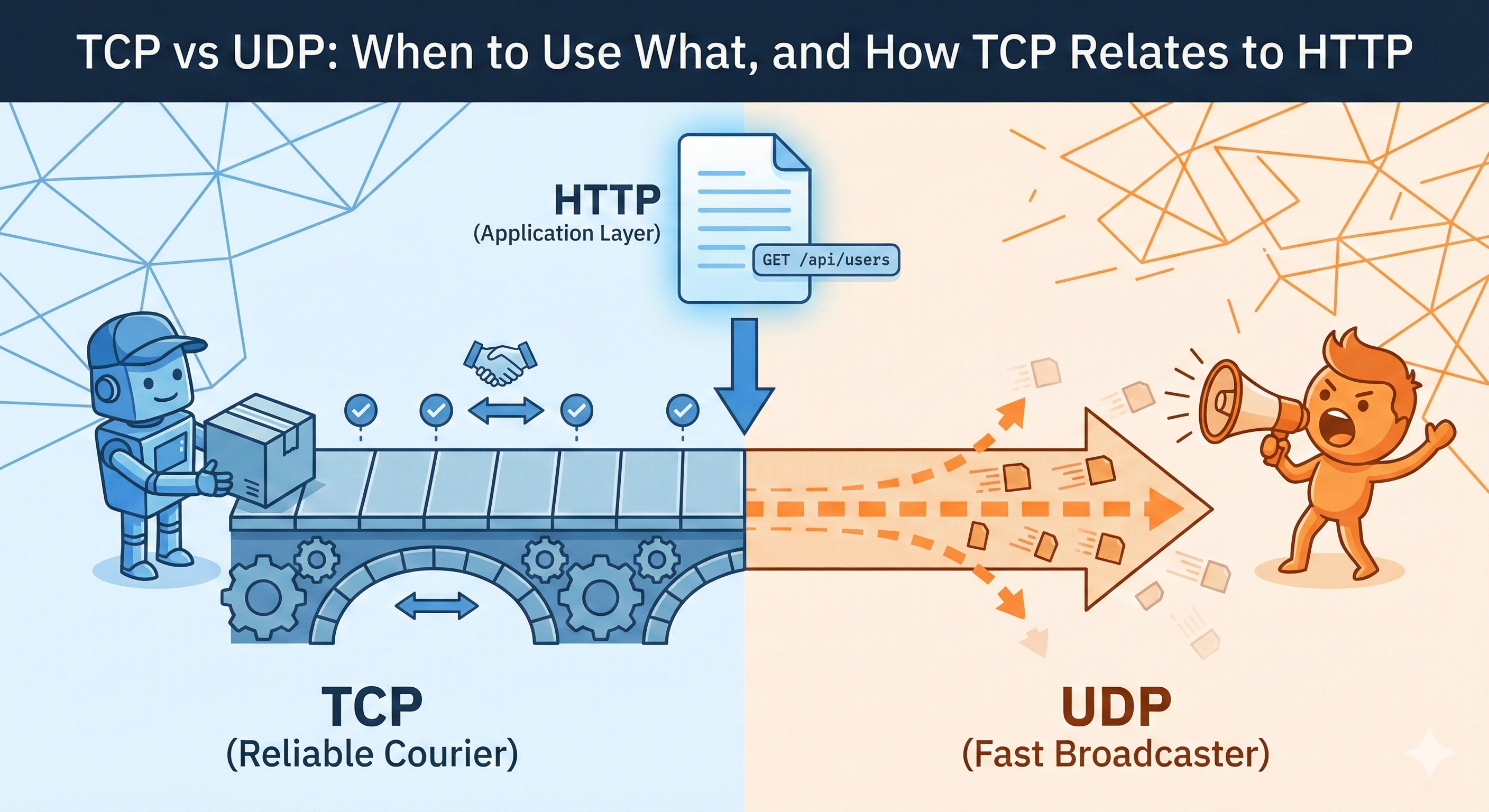
The internet moves data between billions of devices every second. For this to work, we need rules for how data gets transmitted. Two fundamental protocols handle this: TCP and UDP. They take completely different approaches to the same problem.
What Are TCP and UDP
Think of TCP like a phone call and UDP like a megaphone announcement.
TCP (Transmission Control Protocol) is the reliable courier. It establishes a connection, confirms every delivery, and resends anything that gets lost. If you send 100 packets, TCP guarantees all 100 arrive in the correct order.
UDP (User Datagram Protocol) is the fast broadcaster. It sends data without establishing a connection or waiting for confirmation. If packets get lost, UDP doesn't care. It just keeps sending.
TCP Communication Flow:
┌────────┐                           ┌────────┐
│ Client │                           │ Server │
└───┬────┘                           └───┬────┘
    │                                    │
    │  1. SYN (Establish Connection)     │
    │──────────────────────────────────> │
    │                                    │
    │  2. SYN-ACK (Acknowledge)          │
    │ <────────────────────────────────  │
    │                                    │
    │  3. ACK (Connection Ready)         │
    │──────────────────────────────────> │
    │                                    │
    │  4. Data Packet 1                  │
    │──────────────────────────────────> │
    │                                    │
    │  5. ACK (Received Packet 1)        │
    │ <────────────────────────────────  │
    │                                    │
    │  6. Data Packet 2                  │
    │──────────────────────────────────> │
    │                                    │
    │  7. ACK (Received Packet 2)        │
    │ <────────────────────────────────  │
    │                                    │
UDP Communication Flow:
┌────────┐                           ┌────────┐
│ Client │                           │ Server │
└───┬────┘                           └───┬────┘
    │                                    │
    │  Packet 1                          │
    │──────────────────────────────────> │
    │                                    │
    │  Packet 2                          │
    │──────────────────────────────────> │
    │                                    │
    │  Packet 3                          │
    │──────────────────────────────────> │
    │                                    │
    │  (No acknowledgments, no retries)  │
    │                                    │
Key Differences Between TCP and UDP
The core difference boils down to reliability versus speed.
TCP guarantees delivery. It verifies every packet arrives, resends lost packets, and ensures correct order. This reliability requires overhead: connection handshakes, constant acknowledgments, and error-checking at every step.
UDP doesn't guarantee anything. It sends packets and moves on. No connection setup, no acknowledgments, no retransmissions. This makes UDP much faster, but if packets get lost, the application needs to handle it or just accept the loss.
TCP also handles flow control and congestion control. If the network is overwhelmed, TCP slows down. UDP keeps sending at whatever rate the application demands.
When to Use TCP
Use TCP when data must arrive correctly and completely.
Web browsing - Every bit of HTML, CSS, and JavaScript needs to arrive intact. Missing chunks break pages. That's why HTTP runs on TCP.
File transfers - Downloads, uploads, cloud sync. The entire file must arrive without corruption.
Email - Your message and attachments need to arrive exactly as sent. SMTP, IMAP, and POP3 all use TCP.
Database queries - Missing or corrupted data would be catastrophic. MySQL and PostgreSQL rely on TCP.
REST APIs - When your React app calls an API with Axios, that HTTP request travels over TCP. You need accurate, complete responses.
When to Use UDP
UDP shines when speed matters more than perfect delivery.
Live video streaming - You want real-time playback. A few dropped frames cause tiny glitches, but re-transmitting would create noticeable lag. Video conferencing works the same way.
Online gaming - Low latency is critical. If a position update gets lost, the next one arrives in milliseconds anyway. Re-transmitting old data makes games feel sluggish.
DNS queries - Quick lookups of IP addresses. Requests are small and simple. If one gets lost, just send another. Speed beats reliability here.
VoIP calls - Real-time audio. A missing packet might cause a brief pop, but it's better than conversation lag.
IoT sensors - Temperature readings every second. Losing one reading doesn't matter when the next one arrives shortly after.
Real-World Examples Mapped to Protocols
Here's a quick visual reference for what protocol to use:
┌─────────────────────────────────────────────────────────┐
│              TCP vs UDP Use Cases                       │
├─────────────────────────────────────────────────────────┤
│                                                         │
│  TCP (Reliable, Slower)      UDP (Fast, Lossy)          │
│  ═══════════════════         ═══════════════            │
│                                                         │
│  Web Browsing                Online Gaming              │
│  Email                       Live Streaming             │
│  File Transfers              VoIP Calls                 │
│  Database Queries            DNS Lookups                │
│  REST APIs                   IoT Sensors                │
│  Chat Messages               Video Conferencing         │
│                                                         │
└─────────────────────────────────────────────────────────┘
Building a chat app? Use TCP for messages (need reliability) and UDP for voice/video calls (need low latency).
Creating file sharing? TCP all the way. Dropbox, Google Drive, and FTP rely on TCP for complete transfers.
Developing a multiplayer game? UDP for player positions and movements. TCP for authentication and chat.
Video streaming platform? Netflix uses TCP because it can buffer ahead. Twitch uses UDP-based protocols for lower latency.
What Is HTTP and Where It Fits
Here's where confusion often happens. HTTP is not a transport protocol like TCP or UDP. It's an application-level protocol that defines how web clients and servers communicate.
HTTP specifies the format of requests and responses. When you make a GET request, HTTP defines what that request looks like: the method, headers, URL, and body. It defines status codes like 200 OK or 404 Not Found. It defines headers like Content-Type and Authorization.
But HTTP doesn't handle the actual transmission of data across networks. That's not its job. HTTP needs a transport protocol underneath to move requests and responses between machines. That transport protocol is almost always TCP.
Network Layers (Simplified):
┌─────────────────────────────────────┐
│     Application Layer               │
│  (HTTP, FTP, SMTP, DNS)             │  ← What format/rules to use
│                                     │
├─────────────────────────────────────┤
│     Transport Layer                 │
│  (TCP, UDP)                         │  ← How to deliver data
│                                     │
├─────────────────────────────────────┤
│     Internet Layer                  │
│  (IP)                               │  ← Where to send data
│                                     │
├─────────────────────────────────────┤
│     Physical Layer                  │
│  (WiFi, Ethernet, etc.)             │  ← Actual transmission
└─────────────────────────────────────┘
The Relationship Between TCP and HTTP
HTTP runs on top of TCP. They're layered, not alternatives to each other.
When you make an HTTP request, here's the flow:
Making an API Call with Axios:
┌─────────────────────────────────────────────────────────┐
│  1. Your Code                                           │
│     const data = await axios.get('/api/users')          │
└─────────────────────────────────────────────────────────┘
                       ↓
┌─────────────────────────────────────────────────────────┐
│  2. HTTP Layer                                          │
│     Formats request:                                    │
│     GET /api/users HTTP/1.1                             │
│     Host: api.example.com                               │
│     Authorization: Bearer token...                      │
└─────────────────────────────────────────────────────────┘
                       ↓
┌─────────────────────────────────────────────────────────┐
│  3. TCP Layer                                           │
│     - Establishes connection (3-way handshake)          │
│     - Breaks HTTP request into packets                  │
│     - Sends packets with acknowledgments                │
│     - Reassembles response packets                      │
└─────────────────────────────────────────────────────────┘
                       ↓
┌─────────────────────────────────────────────────────────┐
│  4. Server receives complete HTTP request               │
│     Processes it, sends HTTP response                   │
└─────────────────────────────────────────────────────────┘
                       ↓
┌─────────────────────────────────────────────────────────┐
│  5. TCP brings response back                            │
│     Axios parses HTTP response                          │
│     Your code gets the data                             │
└─────────────────────────────────────────────────────────┘
This layering is powerful. Each protocol focuses on its own job. TCP doesn't care if it's carrying HTTP, email, or database queries. It just ensures reliable delivery. HTTP doesn't care if TCP runs over ethernet, WiFi, or cellular. It just defines message format.
Is HTTP the Same as TCP?
No. They serve completely different purposes, but work together constantly.
TCP is about how data gets from point A to point B reliably. It's the delivery mechanism.
HTTP is about what format that data should have when it represents web communication. It's the message format.
Think of it this way: TCP is the postal service that delivers packages. HTTP is the language and format used to write letters that go in those packages. You need both, but they're not the same thing.
When you see "http://" or "https://" in a URL, that tells your browser to use HTTP for message formatting. But underneath, TCP handles transmission. HTTPS is just HTTP with encryption added, and it still runs over TCP.
You can use TCP without HTTP (database connections), and you can technically use HTTP without TCP (HTTP/3 uses QUIC over UDP), but in practice, when you're working with web APIs, you're using both.
Putting It All Together
Understanding these protocols helps you make better decisions when building applications.
Building a REST API? You're using HTTP over TCP. Your Axios interceptors work at the HTTP level (handling headers and status codes), while TCP ensures those requests arrive correctly.
Adding real-time features? Choose WebSockets (TCP-based) for reliability, or WebRTC (can use UDP) for lower latency. The choice depends on whether you need guaranteed delivery or prioritize speed.
Debugging network issues? Knowing the layers helps identify problems. Is TCP failing to connect? Or is the connection working but HTTP returning 500 errors?
The internet is built on layers. TCP and UDP handle transport. HTTP handles web communication format. They work together to make everything function, but understanding where each fits makes you a better developer.