JavaScript Arrays 101: Store, Access, and Loop Over Data Like a Pro
Learn JavaScript arrays from scratch. This beginner-friendly guide covers creating arrays, accessing elements by index, and clear code examples and diagrams.
Arrays are one of the first data structures you'll use in JavaScript, and they're more powerful than they look. This post covers everything from creating your first array to looping through it, with the kind of depth that makes it click.
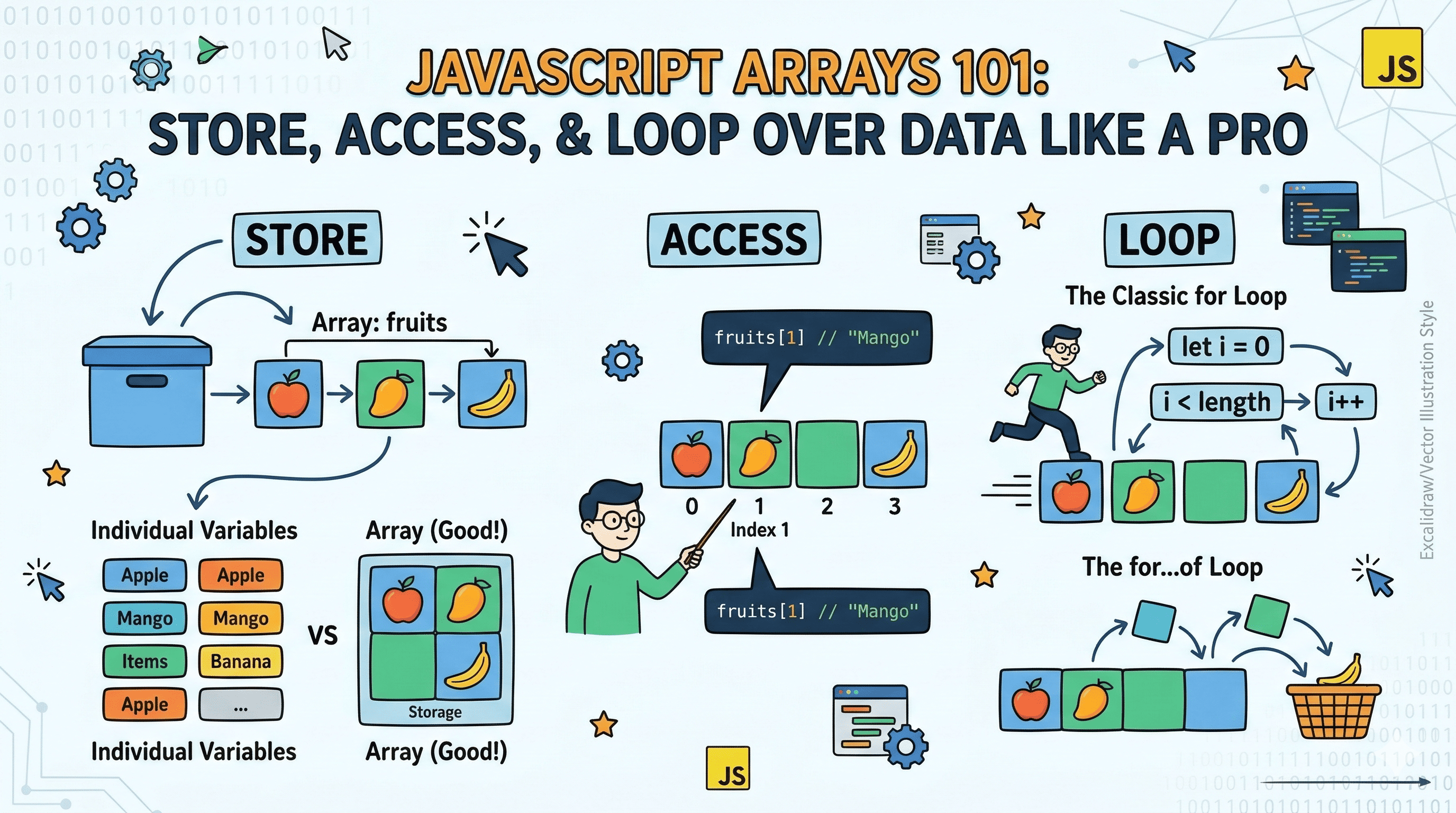
Imagine you're building a to-do app. You have five tasks to track. One way to do it is this:
let task1 = "Buy groceries";
let task2 = "Water the plants";
let task3 = "Reply to emails";
let task4 = "Read a book";
let task5 = "Go for a walk";
Now try printing all of them, or finding the third one, or removing one when it's done. You're writing five separate lines for every operation. Now imagine 50 tasks. This approach falls apart fast.
That's exactly the problem arrays solve.
What Is an Array?
An array is a collection of values stored in order, under a single variable name. Think of it like a numbered shelf at a storage facility. Each slot has a number, and you can put anything in any slot.
┌──────────────────────────────────────────────────────┐
│                  tasks (array)                       │
├────────────┬───────────┬──────────┬──────────────────┤
│   Slot 0   │  Slot 1   │  Slot 2  │     ...          │
├────────────┼───────────┼──────────┼──────────────────┤
│  "Buy      │  "Water   │  "Reply  │     ...          │
│  groceries"│  plants"  │  emails" │                  │
└────────────┴───────────┴──────────┴──────────────────┘
Notice slot numbers start at 0, not 1. That trips up a lot of beginners, and honestly, it trips up experienced devs too when they're tired. More on that in a second.
Here's the key insight: instead of five variables, you now have one. And that one variable gives you access to everything inside it.
Creating an Array
The most common way to create an array in JavaScript is using square brackets:
let tasks = [
  "Buy groceries",
  "Water the plants",
  "Reply to emails",
  "Read a book",
  "Go for a walk",
];
That's it. You can also create an empty array and fill it later:
let tasks = [];Arrays in JavaScript are flexible. They can hold strings, numbers, booleans, objects, other arrays, or a mix of all of them. You're not locked into a single type like in some other languages.
let mixed = [42, "hello", true, { name: "Atharv" }, [1, 2, 3]];That said, in real code, you'll almost always want your arrays to hold one type of data. Mixed arrays are confusing to work with.
Accessing Elements Using Index
Here's where the 0-based indexing becomes important. The first element is at index 0, second at index 1, and so on.
Array:   ["Apple", "Mango", "Banana", "Grapes", "Orange"]
Index:      0         1         2         3         4
To access any element, use the variable name followed by the index in square brackets:
let fruits = ["Apple", "Mango", "Banana", "Grapes", "Orange"];

console.log(fruits[0]); // "Apple"
console.log(fruits[2]); // "Banana"
console.log(fruits[4]); // "Orange"
What about accessing the last element? If you know the length, you can use length - 1 as the index. But if you don't know the length upfront (which is usually the case with dynamic data), here's the pattern:
console.log(fruits[fruits.length - 1]); // "Orange"What happens if you try to access an index that doesn't exist?
console.log(fruits[10]); // undefinedNo error, just undefined. JavaScript doesn't throw here, which can silently cause bugs. Something to keep in mind.
Updating Elements
Updating an element is just as straightforward as accessing one. You target the index and assign a new value:
let fruits = ["Apple", "Mango", "Banana", "Grapes", "Orange"];

fruits[1] = "Pineapple";

console.log(fruits);
// ["Apple", "Pineapple", "Banana", "Grapes", "Orange"]
Before and after:
Before:
┌─────────┬─────────┬──────────┬──────────┬──────────┐
│ "Apple" │ "Mango" │ "Banana" │ "Grapes" │ "Orange" │
│   [0]   │   [1]   │   [2]   │   [3]    │   [4]     │
└─────────┴─────────┴──────────┴──────────┴──────────┘

After fruits[1] = "Pineapple":
┌─────────┬─────────────┬──────────┬──────────┬──────────┐
│ "Apple" │ "Pineapple" │ "Banana" │ "Grapes" │ "Orange" │
│   [0]   │     [1]     │   [2]   │   [3]    │   [4]     │
└─────────┴─────────────┴──────────┴──────────┴──────────┘
You can also add elements at a specific index this way. If you assign to an index beyond the current length, JavaScript fills the gap with undefined:
let nums = [1, 2, 3];
nums[6] = 99;
console.log(nums); // [1, 2, 3, undefined, undefined, undefined, 99]
Sparse arrays like this are valid JavaScript, but almost always a sign something went wrong. Avoid doing this intentionally.
The Length Property
Every array has a .length property that tells you how many elements it contains:
let fruits = ["Apple", "Mango", "Banana"];
console.log(fruits.length); // 3
Here's the thing that catches people off guard: length is always one more than the last valid index. So for an array of 3 elements, valid indexes are 0, 1, and 2, and length is 3.
Array length = 3
Valid indexes = 0, 1, 2   (always length - 1 as the max)
length updates automatically as you add or remove elements, so you can always trust it to reflect the current state of the array.
let fruits = ["Apple", "Mango"];
console.log(fruits.length); // 2

fruits[2] = "Banana";
console.log(fruits.length); // 3
Looping Over Arrays
This is where arrays become genuinely powerful. Instead of manually accessing each element, you can loop through the entire array and do something with each value.
The Classic for Loop
The most fundamental way to loop over an array:
let fruits = ["Apple", "Mango", "Banana", "Grapes", "Orange"];

for (let i = 0; i < fruits.length; i++) {
  console.log(fruits[i]);
}

// Apple
// Mango
// Banana
// Grapes
// Orange
Let's break it down:
i = 0starts at the first indexi < fruits.lengthruns as long as we haven't gone past the last elementi++moves to the next index after each iterationfruits[i]accesses the element at the current index
Iteration flow:

i=0 → fruits[0] → "Apple"
i=1 → fruits[1] → "Mango"
i=2 → fruits[2] → "Banana"
i=3 → fruits[3] → "Grapes"
i=4 → fruits[4] → "Orange"
i=5 → 5 < 5 is false → loop stops
The for...of Loop
If you don't need the index and just want the values, for...of is cleaner:
let fruits = ["Apple", "Mango", "Banana", "Grapes", "Orange"];

for (let fruit of fruits) {
  console.log(fruit);
}
Same output, less noise. For beginners, for...of often feels more readable. For cases where you need the index (like updating elements while looping), stick with the classic for loop.
The classic for loop is also slightly more performant in tight loops, but for most use cases, the difference is negligible. Pick whichever makes your code more readable.
Individual Variables vs Arrays: The Real Comparison
Let's come back to where we started. Here's what happens when you need to print all five tasks using individual variables:
let task1 = "Buy groceries";
let task2 = "Water the plants";
let task3 = "Reply to emails";
let task4 = "Read a book";
let task5 = "Go for a walk";

console.log(task1);
console.log(task2);
console.log(task3);
console.log(task4);
console.log(task5);
And here's the array version:
let tasks = [
  "Buy groceries",
  "Water the plants",
  "Reply to emails",
  "Read a book",
  "Go for a walk",
];

for (let task of tasks) {
  console.log(task);
}
The array version works the same with 5 tasks or 500. The individual variable approach breaks down the moment the list grows or changes dynamically.
Individual Variables:        Array:

task1 ──→ "Buy groceries"    tasks[0] ──┐
task2 ──→ "Water plants"     tasks[1] ──┤──→ Iterable, scalable,
task3 ──→ "Reply emails"     tasks[2] ──┤    single reference
task4 ──→ "Read a book"      tasks[3] ──┤
task5 ──→ "Go for a walk"    tasks[4] ──┘

5 names for 5 values         1 name for all values
That single reference is what makes arrays foundational to how real applications handle data.
Key Takeaways
Arrays store multiple values in a single variable, in order. Indexes start at 0. You access elements with bracket notation, update them the same way, check the count using .length, and loop through them with a for loop or for...of. That's the core of it.
What makes arrays stick is using them. The assignment below is a good starting point.
Practice Assignment
Try this in your browser console or a JS file:
- Create an array of 5 of your favorite movies
- Print the first and last element using their indexes
- Update one movie title and print the full updated array
- Loop through the array and print each movie on a new line
No need to look anything up. Everything you need is in this post.