Creating Routes and Handling Requests with Express
Learn how to create an Express.js server, define GET and POST routes, handle request params and body, and send correct HTTP responses.
Express.js is a minimal web framework for Node.js that takes the verbosity out of building HTTP servers. This post covers what Express adds over raw Node, how routing works, and how to handle GET and POST requests cleanly.
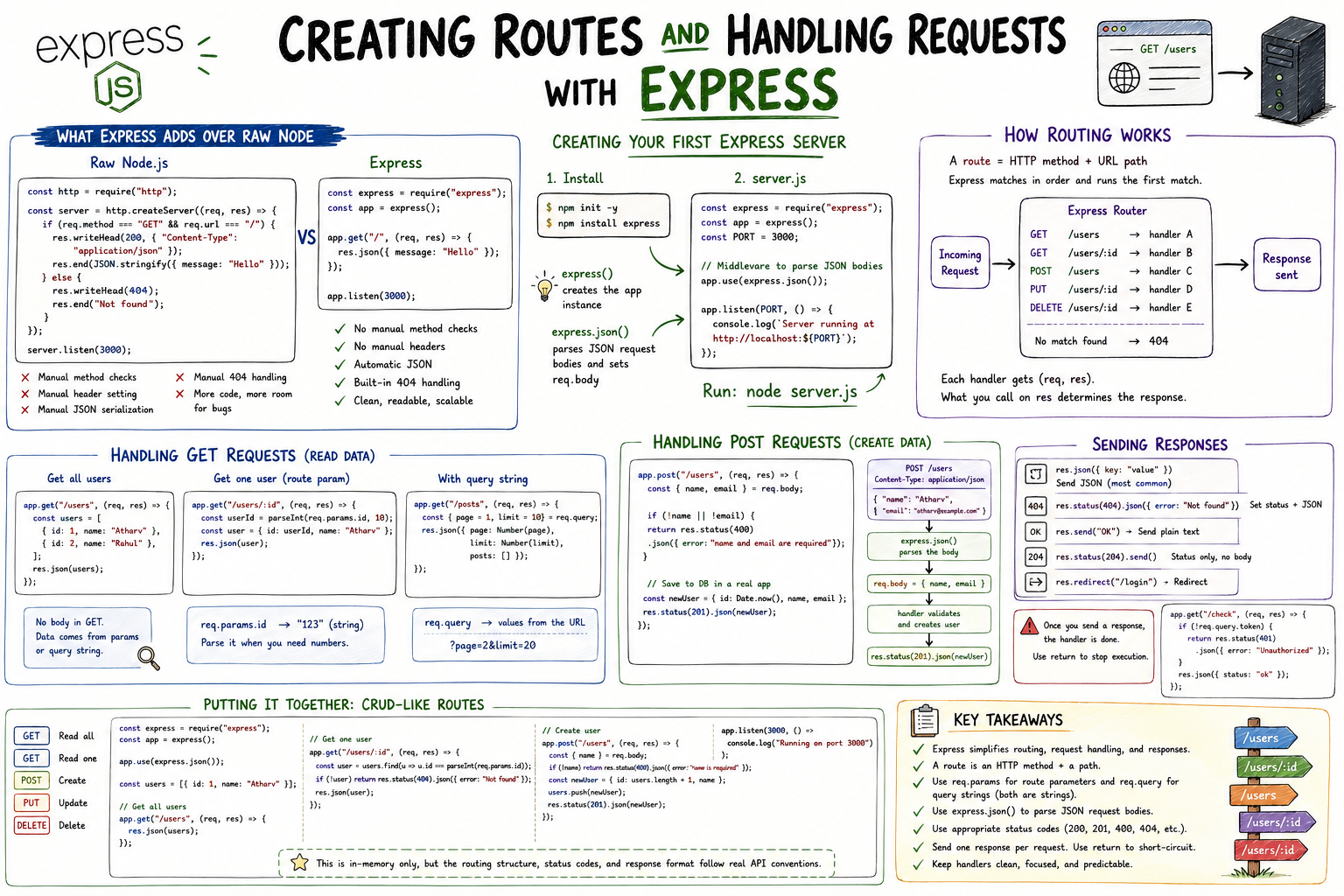
The built-in http module in Node.js works. It's just not fun to use for anything beyond a toy server. Every route, every method check, every response header has to be handled manually. Express wraps all of that in a clean, predictable API so you can focus on what your application actually does instead of wiring up plumbing.
What Express Adds Over Raw Node
Here's the same "hello world" endpoint: once with the raw http module, once with Express.
// Raw Node.js
const http = require("http");

const server = http.createServer((req, res) => {
  if (req.method === "GET" && req.url === "/") {
    res.writeHead(200, { "Content-Type": "application/json" });
    res.end(JSON.stringify({ message: "Hello" }));
  } else {
    res.writeHead(404);
    res.end("Not found");
  }
});

server.listen(3000);
// Express
const express = require("express");
const app = express();
app.get("/", (req, res) => {
res.json({ message: "Hello" });
});
app.listen(3000);Same outcome. The Express version drops manual method checks, manual header setting, manual JSON serialization, and manual 404 handling. As your application grows from one route to fifty, that difference compounds significantly.
Creating Your First Express Server
Install Express in your project directory:
npm init -y
npm install express
Create server.js:
const express = require("express");
const app = express();
const PORT = 3000;

// Middleware to parse JSON request bodies
app.use(express.json());

app.listen(PORT, () => {
  console.log(`Server running at http://localhost:${PORT}`);
});
express() creates the application instance. app.use(express.json()) is middleware that parses incoming JSON request bodies, making them available on req.body. Without it, req.body is undefined on POST requests. Run it with node server.js and you have a server.
How Routing Works
A route in Express is the combination of an HTTP method and a URL path. Express matches incoming requests against registered routes in the order they were defined and runs the first matching handler.
Incoming Request
        │
        ▼
┌───────────────────────────────────────────┐
│              Express Router               │
│                                           │
│  GET  /users     ──► handler A            │
│  GET  /users/:id ──► handler B            │
│  POST /users     ──► handler C            │
│  PUT  /users/:id ──► handler D            │
│  DELETE /users/:id ──► handler E          │
│                                           │
│  No match found  ──► 404                  │
└───────────────────────────────────────────┘
        │
        ▼
     Response sent
Each handler receives req (the request) and res (the response). Whatever you call on res inside the handler determines what the client receives.
Handling GET Requests
GET requests are for reading data. No request body: the information lives in the URL, either as route params or query strings.
// Simple GET: return all users
app.get("/users", (req, res) => {
  const users = [
    { id: 1, name: "Atharv" },
    { id: 2, name: "Rahul" },
  ];
  res.json(users);
});

// GET with route parameter: return one user
app.get("/users/:id", (req, res) => {
  const userId = parseInt(req.params.id, 10);
  const user = { id: userId, name: "Atharv" };
  res.json(user);
});

// GET with query string: filter or paginate
app.get("/posts", (req, res) => {
  const { page = 1, limit = 10 } = req.query;
  res.json({ page: Number(page), limit: Number(limit), posts: [] });
});
req.params holds route parameters. req.query holds query string values. Both come in as strings, so parse them when you need numbers.
Handling POST Requests
POST requests are for creating data. The payload comes in the request body as JSON, which express.json() middleware parses for you.
// POST: create a new user
app.post("/users", (req, res) => {
  const { name, email } = req.body;

  if (!name || !email) {
    return res.status(400).json({ error: "name and email are required" });
  }

  // In a real app, you'd save to a database here
  const newUser = { id: Date.now(), name, email };

  res.status(201).json(newUser);
});
POST /users
Content-Type: application/json
{ "name": "Atharv", "email": "atharv@example.com" }
│
▼
express.json() parses the body
│
▼
req.body = { name: "Atharv", email: "atharv@example.com" }
│
▼
handler runs validation, creates user
│
▼
res.status(201).json(newUser)res.status(201) sets the HTTP status code. Chaining .json() sends the body. If you skip res.status(), Express defaults to 200.
Sending Responses
Express gives you several response methods. Knowing when to use each one is part of building a clean API:
// Send JSON (most common for APIs)
res.json({ key: "value" });

// Set status code and send JSON
res.status(404).json({ error: "User not found" });

// Send plain text
res.send("OK");

// Send with status only (no body)
res.status(204).send();

// Redirect
res.redirect("/login");
A common mistake is sending a response and then trying to send another one. Express will throw a "headers already sent" error. Once you call any response method, the handler is done:
app.get("/check", (req, res) => {
  if (!req.query.token) {
    return res.status(401).json({ error: "Unauthorized" }); // return ends execution
  }

  res.json({ status: "ok" }); // only reached if token exists
});
Using return before res is the clean way to short-circuit a handler.
Putting It Together
Here's a minimal set of CRUD-like routes for a users resource:
const express = require("express");
const app = express();
app.use(express.json());

const users = [{ id: 1, name: "Atharv" }];

app.get("/users", (req, res) => {
  res.json(users);
});

app.get("/users/:id", (req, res) => {
  const user = users.find((u) => u.id === parseInt(req.params.id));
  if (!user) return res.status(404).json({ error: "Not found" });
  res.json(user);
});

app.post("/users", (req, res) => {
  const { name } = req.body;
  if (!name) return res.status(400).json({ error: "name is required" });
  const newUser = { id: users.length + 1, name };
  users.push(newUser);
  res.status(201).json(newUser);
});

app.listen(3000, () => console.log("Running on port 3000"));
This is in-memory only, but the routing structure, status codes, and response format follow real API conventions.